

A DIGITAL HAND-LETTERING
COURSE FOR
BEGINNERS
Structured daily lessons on your tablet. Just 10 minutes a day.
Want to Learn Digitally? Lettering Leap™ is for You

Built for digital beginners
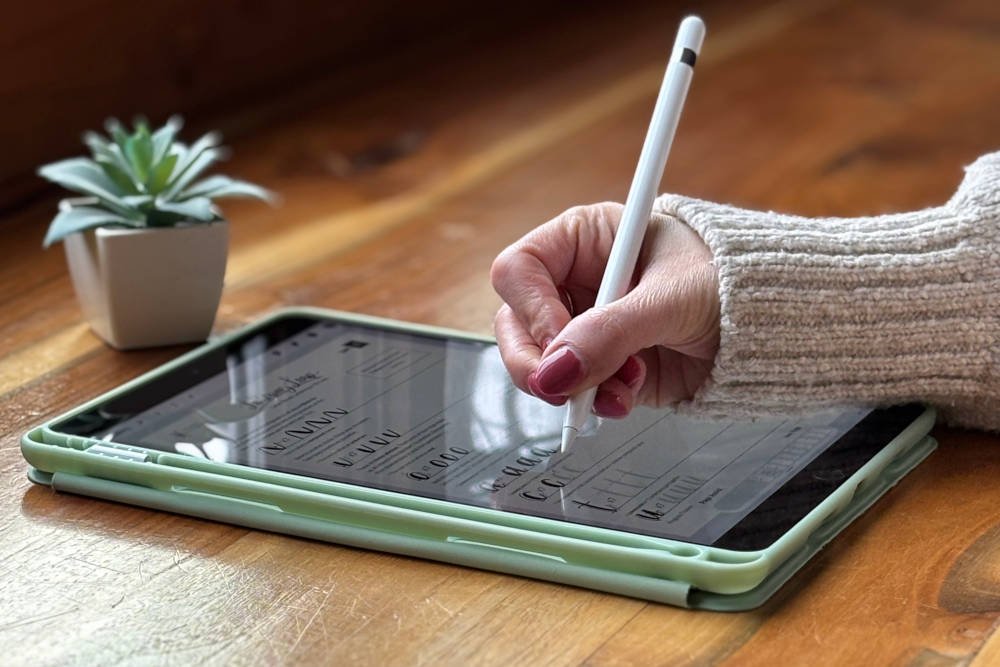
The course is ideal for beginners learning hand-lettering digitally with a stylus and iPad or other tablet.
Simple, step-by-step roadmap
Structured lessons guide you from your first stroke to confident lettering — always knowing what to practice next.
Low commitment, real results
Lessons are just 10 minutes a day for 30 days, focusing on building real skill without long practice sessions.
Start Digital Lettering with Confidence — Right on Your Tablet
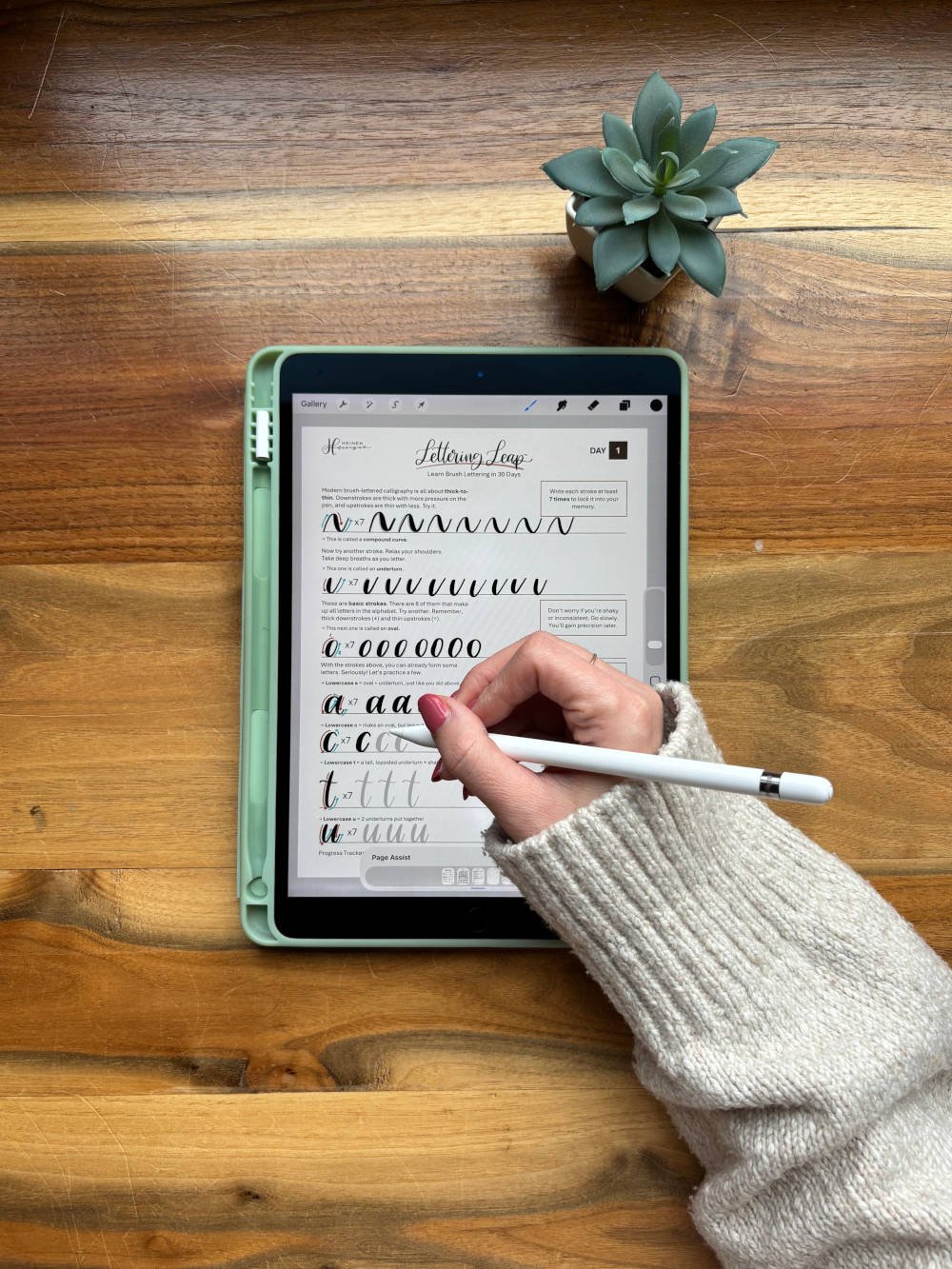
Lettering Leap™ is designed for beginners who want to learn hand-lettering digitally using an iPad (or other tablet) and Apple Pencil or (other digital pen). You don’t need prior experience to start — each lesson guides you step by step, starting with basic strokes and building into letters, words, and phrases you practice directly on screen.
With just 10 minutes a day, you’ll see real progress, build confidence, and enjoy a clean, focused learning experience without overwhelm or guesswork. In 30 days, you’ll have the skills to create modern hand-lettering digitally — comfortably and confidently on your tablet.
A Digital Hand-Lettering Course Built Smarter
The Method Behind Lettering Leap™
Lettering Leap™ is designed as a complete learning system, not a pile of disconnected drills. The course focuses on the shared structures behind every letter, teaching you the core strokes that repeat across the alphabet. By starting with these simple building blocks and using them immediately in real lettering, your practice stays clear, connected, and easy to understand — whether you’re lettering on a tablet or traditionally.
Lessons are arranged in a purposeful progression, with each day building naturally on the last. You’ll always know what you’re practicing and how it fits into the bigger picture. There’s no trial-and-error or wasted effort — just a structured, beginner-friendly approach that steadily builds skill and confidence.
The Lettering Leap™ Advantage:
Learn modern hand lettering digitally in just 30 days
Practice one structured lesson per day — 10 minutes or less
Start forming real letters and words on your tablet from day one
Stroke-based system that builds control and consistency with a stylus
Finish confident and ready to create polished digital lettering
How It Works
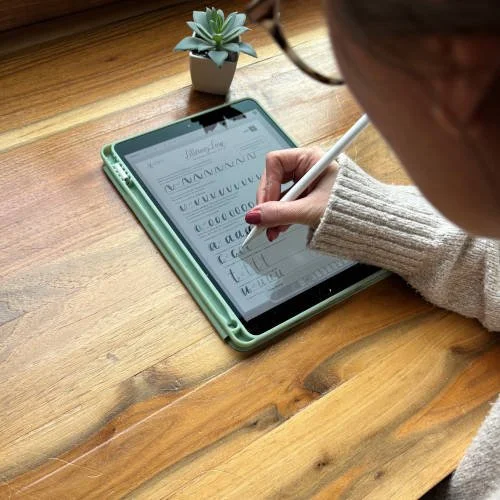
Lettering Leap™ gives digital beginners a clear, structured way to learn hand-lettering on a tablet — without confusion, overwhelm, or wasted practice.
1. Built on simple stroke patterns
Instead of random drills, you learn the basic strokes that repeat across every letter. These easy-to-follow shapes form the foundation of all lettering, making progress feel logical and approachable from day one.
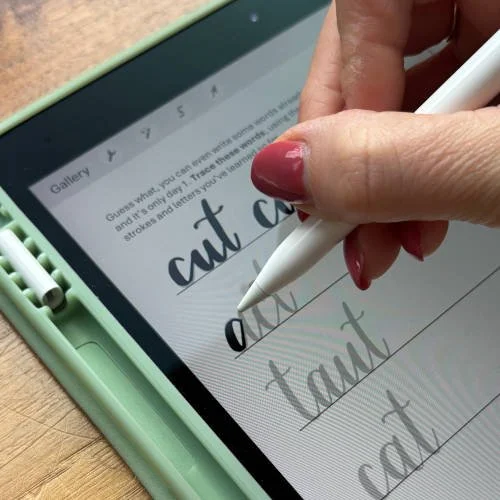
2. Practice real letters right away
You apply each stroke directly to real letters and words using your tablet and digital pen. This helps skills stick faster and builds confidence as you learn.
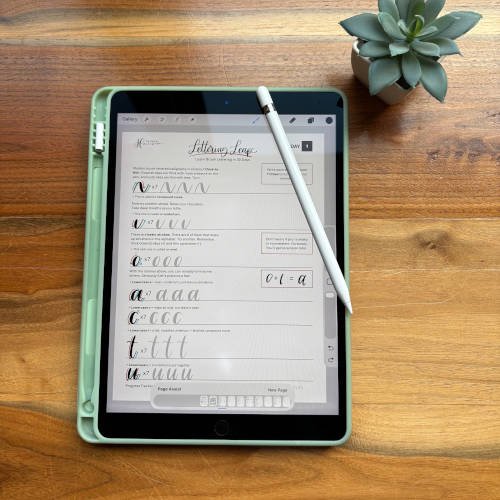
3. Short, focused daily lessons
Each lesson is designed to be completed in about 10 minutes. There’s no setup, no filler, and no guessing what to do next — just clear instruction and intentional practice.
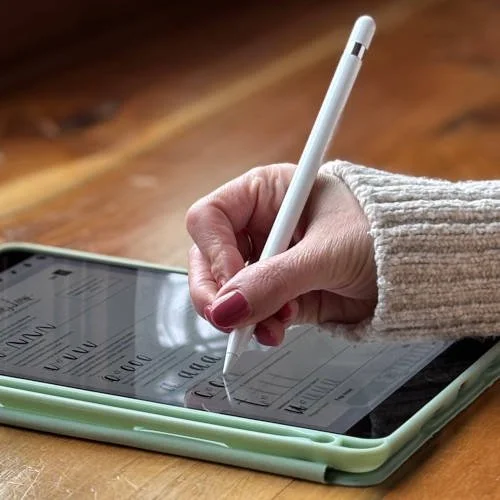
4. A guided start-to-finish system
Every lesson builds on the last in a simple 30-day roadmap. Follow the steps, stay consistent, and finish with confidence in your digital lettering skills.
ALL THIS FOR JUST
$29.99
Affordable & high-value – other courses and classes can cost $79–$300
One-time purchase – learn once, keep the skill for life
Effective system – 10 minutes/day, 30 days, confident brush-lettering skills
Ready to Go Digital?
How to Use Lettering Leap™ for Digital Learning
Step 1: Import the PDF
After downloading the PDF, open the Procreate app. In the top right corner, tap Import. Select Lettering Leap from your Downloads folder or wherever you saved the file.
Step 2: Choose Your Brush
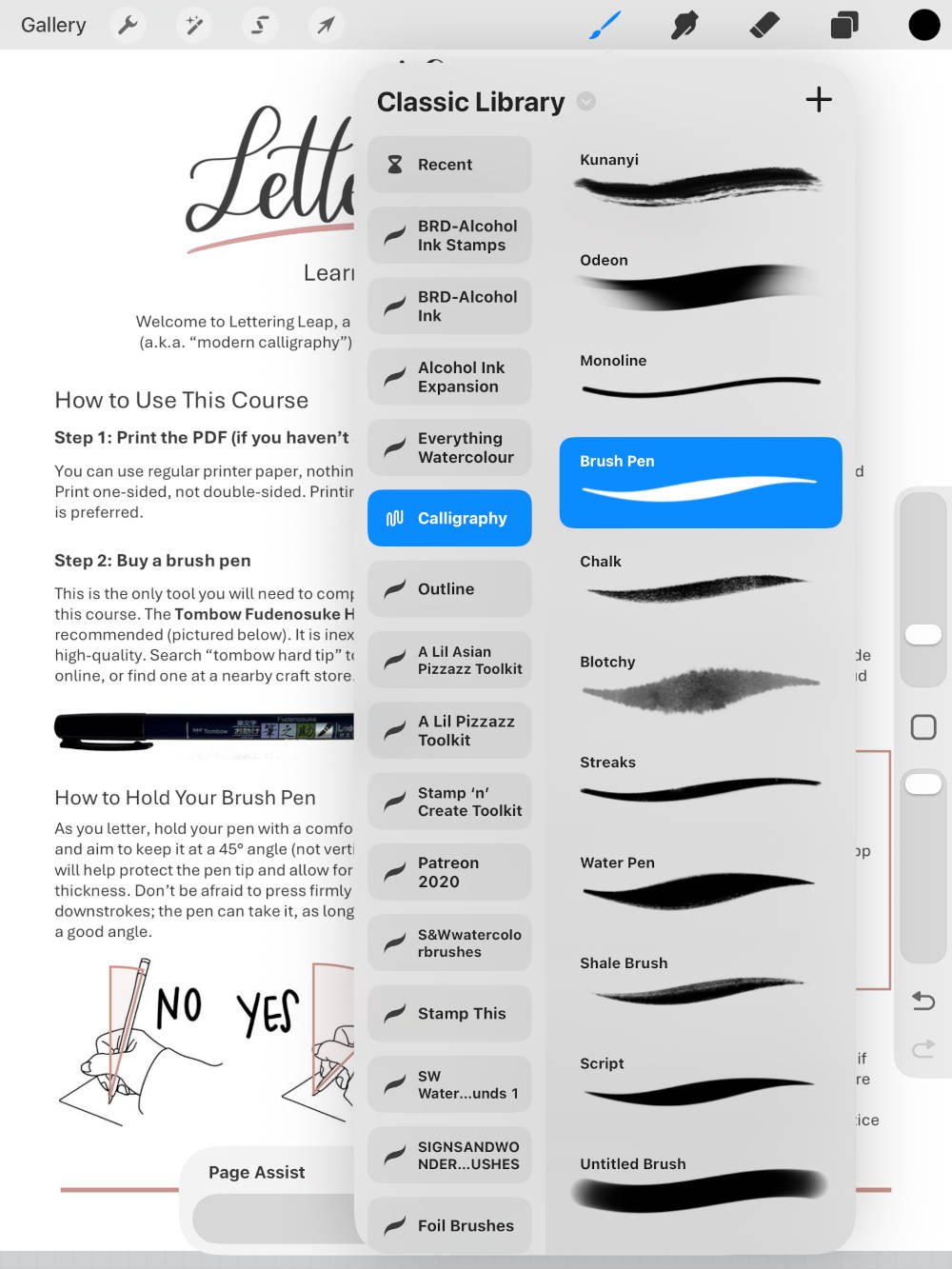
The PDF will open, showing each page as a separate layer. Before you start tracing, select the brush icon in the top-right corner. Find “Calligraphy” in the menu and choose “Brush Pen” from the options.
The recommended brush size is 5%.
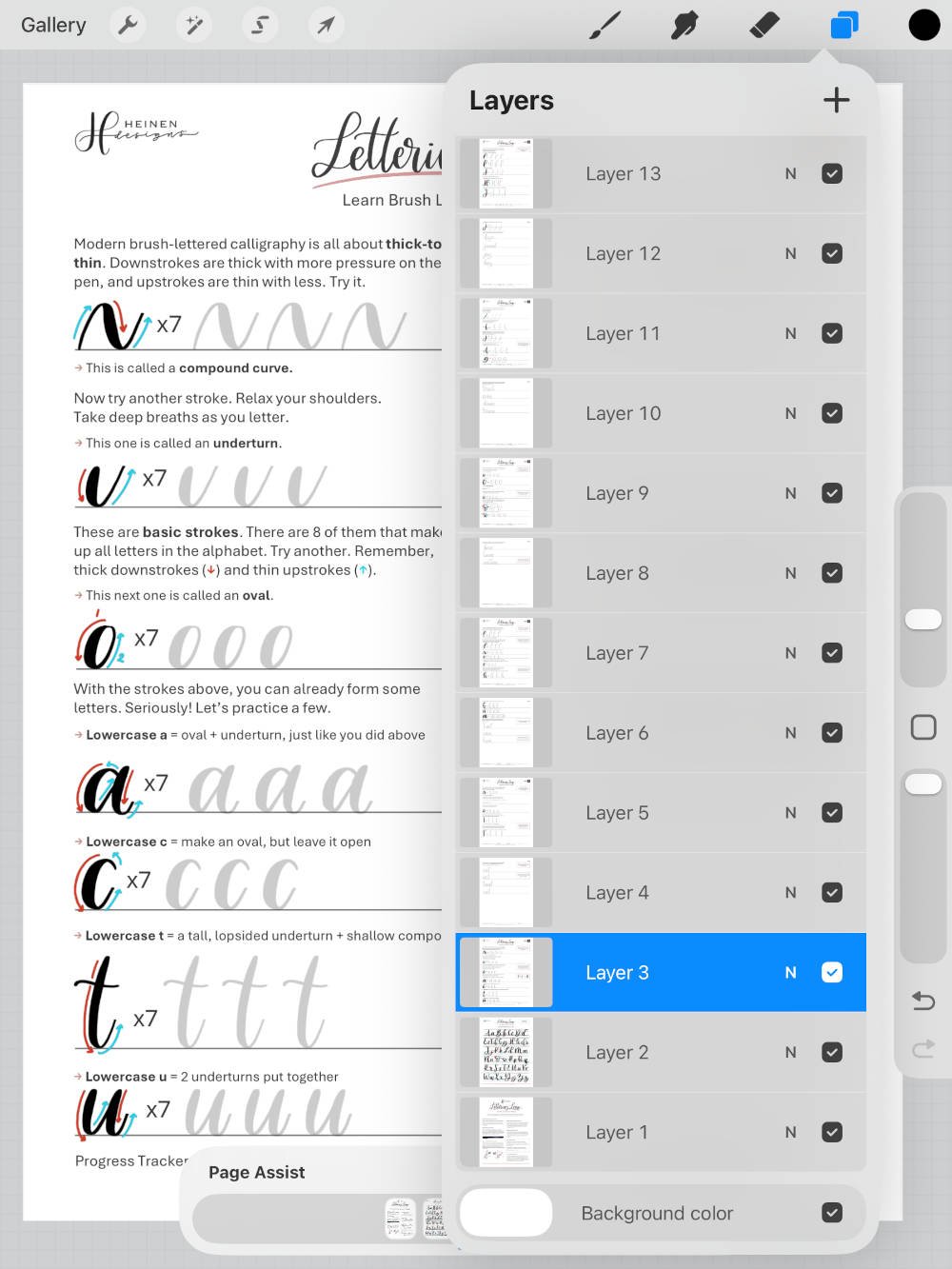
Step 3: Choose Your Layer
Tap the Layers icon (two overlapping squares) in the top-right corner. From the menu, select the layer you want to work on (for example, the day-1 lesson). Don’t worry about adding new layers or trying to preserve the pages as separate layers. Treat it like paper. Once you apply the ink from your pen, it becomes part of the page.
Step 4: Start Lettering
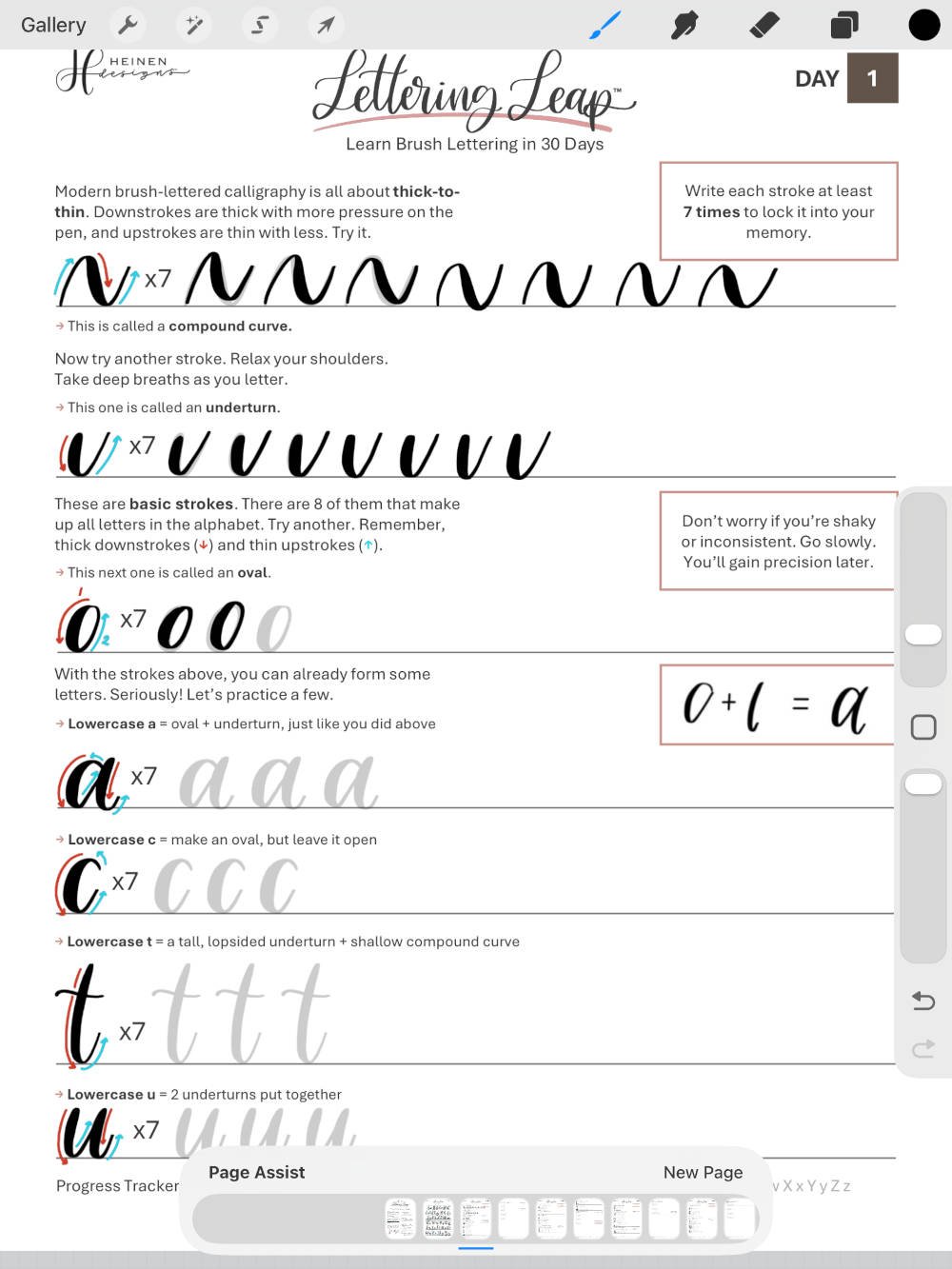
Start lettering with your Apple Pencil or other stylus, following the instructions within the lesson. One thing to note, digital lettering gives you the option of the “undo” button. However, try to avoid using it if you can. Trust the process. Don’t be a perfectionist, especially early on. Be okay with shaky, imperfect strokes in the beginning. Again, a good rule of thumb is to treat it like paper and ink.
Pro Tip:
If you want to “refresh” the page and start from a blank slate, simply import the PDF again into Procreate as a separate project in your Gallery. It’s just like printing off a fresh paper copy using your home printer.
Ready to Letter Digitally?
Frequently Asked Questions about Lettering Leap™
Is Lettering Leap™ good for beginners learning digital hand-lettering?
Yes. Lettering Leap™ is designed specifically for beginners, including those brand new to digital hand-lettering. The course starts with simple strokes and builds gradually, making it easy to learn lettering on a tablet without prior experience or artistic confidence.Can I take this course on an iPad or tablet?
Absolutely. Lettering Leap™ works perfectly as a digital hand-lettering course. You can open the PDF on an iPad or tablet and practice using a stylus like an Apple Pencil in apps such as Procreate or similar drawing apps.Do I need Procreate or a specific app to use this course?
No specific app is required. Any app that allows you to open PDFs and draw with a stylus will work. Procreate is popular for digital lettering. You can also use the course for paper and ink lettering. Simply print the PDF out and grab a brush pen like the Tombow Fudenosuke hard tip.What does the course actually look like once I buy it?
After purchase, you’ll download the Lettering Leap™ PDF instantly. You can open it on your tablet or print it if you prefer. Each day, you complete one short lesson by following the step-by-step instructions provided — no videos, logins, or extra setup required.How long does each digital lettering lesson take?
Each lesson takes about 10 minutes or less. The course is designed for short, focused practice sessions that fit easily into your day, even if you’re learning digitally in small windows of time.Can I really learn digital lettering in 30 days?
Yes. Lettering Leap™ is built as a 30-day digital lettering roadmap. By following one lesson per day, you’ll develop stroke control, letter formation, and confidence steadily — without overwhelm or long practice sessions.Will I practice real letters and words digitally?
Yes. From the very beginning, you’ll use your tablet and digital pen or stylus to practice real letters and simple words. As the course progresses, you’ll move into phrases and sentences, helping skills stick through real application.Is this course calligraphy or hand lettering?
Lettering Leap™ focuses on modern brush-style hand-lettering, often referred to as modern calligraphy. It’s well-suited for digital lettering on tablets, where brush pressure and stroke control are key.Do I need to practice more than the daily lesson to improve?
No. The course is designed so that short, consistent daily practice is enough. Extra practice is optional, but not required to see progress in digital hand-lettering.What if I miss a day?
That’s okay. You can simply pick up where you left off. The course is flexible and forgiving, making it easy to maintain momentum without feeling behind.Is Lettering Leap™ different from other digital lettering courses?
Yes. Many digital lettering courses rely on long videos or unstructured practice. Lettering Leap™ uses a stroke-based system and a clear daily roadmap, helping beginners understand how letters are built — not just how to copy them.Is this course good if I’ve never lettered digitally before?
Yes. Lettering Leap™ is ideal if you’re new to digital lettering, new to using a stylus, or unsure how to practice effectively on a tablet. The instructions are clear, simple, and designed for first-time digital learners.